

Get a quick and easy IID installation with Smart Start! Get started today!
"* (required)" indicates required fields
By providing your information and clicking “Get Help Now”, I authorize 1A Smart Start LLC and its affiliates and franchisees’ to contact me at the phone number and/or email address above via phone, text, and/or email using autodialing technology and artificial or prerecorded calls and texts for marketing purposes. Not a condition for purchase. Message and data rates may apply. To opt-out of texts, reply “STOP,” and to opt-out of emails click the email unsubscribe link.
Ignition Interlock Device Installation & Removal
Smart Start streamlines and simplifies the Ignition Interlock device installation and removal process so you’re in, out, and ready to get back on the road. Here’s what you can expect from your Smart Start IID device installation and removal.
Installing Your Ignition Interlock Device
Typically, the Ignition Interlock Device installation process takes under an hour. We recommend blocking off two hours to ensure you’re not rushed.
To schedule your IID installation appointment, follow these steps:
To schedule your IID installation appointment, follow these steps:
1
Call our Program Advisors to set up an IID installation appointment at a Smart Start service center near you. In many cases, we can offer same-day service.
2
Gather the documents you need to get your IID installed. In many states, this includes a photo ID and vehicle registration — but it varies by state, so check our list of state requirements below. In addition, make sure you have payment ready for the cost of your IID.
3
Arrive at the Smart Start service center for your scheduled appointment. The technician will install a Smart Start Interlock Device on your vehicle. We work with qualified technicians, so you can be sure your vehicle is safe.
4
Your technician will provide an instructional video and hands-on demonstration of how to use your Smart Start IID. Feel free to ask any questions about how to operate your IID, or check our Frequently Asked Questions for quick info.

State Requirements for IID Installation
Each US state sets its own requirements for the documentation that drivers are required to bring. Before you head out for your IID installation appointment, make sure you have all of the documents required by your state:

Where Can I Get an IID Installed Near Me?
For our customers’ convenience, Smart Start offers thousands of service centers across the United States.
Find a location
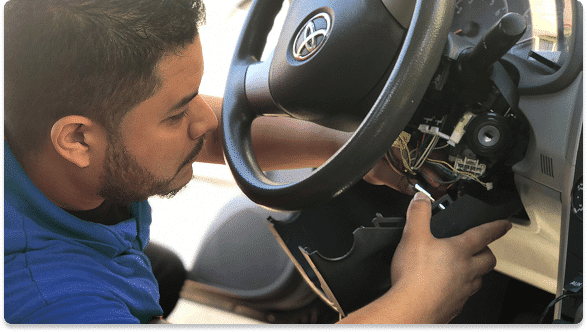
Installing Your Ignition Interlock Device
With Smart Start, the IID removal process is quick and easy. Once you’ve completed the requirements of your DUI program, here’s what you’ll need to do:
1
Verify with your state authority that you are eligible to have your IID removed. Ask your attorney or state authority how to do this, and see our state-by-state IID removal guide for more information.
2
In some states, you’ll need to obtain official paperwork that allows you to have your IID removed. To find out if this requirement applies to your situation, ask our Program Advisors or contact your state authority.
3
Complete a Device Removal Request through our website.
4
Your technician will provide an instructional video and hands-on demonstration of how to use your Smart Start IID. Feel free to ask any questions about how to operate your IID, or check our Frequently Asked Questions for quick info.